
Introduction
Building a website today is a lot like building a house. You wouldn’t just throw bricks together and hope for the best, right? You’d plan, design, and carefully put everything in place. That’s exactly how WordPress website development from scratch works. WordPress powers over 40% of the internet, not because it’s trendy, but because it’s flexible, beginner-friendly, and powerful enough for large-scale businesses.
Whether you’re starting a personal blog, an online store, or a business website, WordPress gives you the tools to build something solid without needing to be a hardcore developer. In this guide, I’ll walk you through 11 clear, practical steps to build a WordPress website from the ground up—no fluff, no confusing jargon, just real-world guidance that actually works.
Understanding WordPress Website Development from Scratch
WordPress website development from scratch doesn’t mean you’re coding every line manually. Instead, it means you’re building a website intentionally—from planning and setup to design, content, and optimization—rather than relying on shortcuts or pre-built demos.
What Makes WordPress the Go-To Platform?
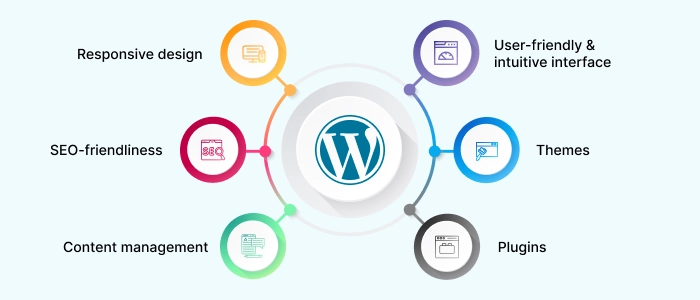
WordPress is like a Swiss Army knife for websites. It can be simple or complex, depending on what you need. The biggest reason people choose WordPress is freedom. You own your site, your content, and your data. There are thousands of themes and plugins that let you customize your website without reinventing the wheel.
Another big plus is SEO. WordPress is search-engine friendly right out of the box. With the right setup, your website has a better chance of ranking on Google compared to many other platforms.
WordPress.org vs WordPress.com Explained Simply
This part confuses a lot of beginners, so let’s clear it up. WordPress.org is self-hosted. You download WordPress, install it on your hosting, and have full control. WordPress.com is hosted for you but comes with limitations unless you pay.
If you’re serious about WordPress website development from scratch, WordPress.org is the way to go. It gives you complete control over design, plugins, monetization, and growth.
Step 1: Define Your Website Purpose and Strategy
Before you install WordPress or pick a theme, you need clarity. Skipping this step is like building a house without a blueprint—it might stand, but it won’t feel right or function well.
Understanding Your Website Goals
Ask yourself one simple question: Why does this website exist?
Is it meant to sell products, generate leads, share knowledge, or build a personal brand?
Your goal shapes everything:
- A business website focuses on conversions and trust
- A blog prioritizes content and readability
- An eCommerce store needs speed and secure payments
Clear goals help you avoid unnecessary features and focus on what actually moves the needle.
Identifying Your Target Audience
Your website isn’t for everyone—and that’s a good thing. Knowing who you’re talking to helps you:
- Choose the right design tone
- Write content that resonates
- Solve real problems your audience has
Think about age, profession, pain points, and what success looks like for them. When you design for a specific person, your website suddenly feels more “human.”
Choosing a Unique Focus Keyword
Your focus keyword is the backbone of your SEO strategy. For this guide, the keyword is WordPress website development from scratch—specific, intent-driven, and beginner-focused.
A good focus keyword should:
- Match what people actually search for
- Have clear intent
- Be naturally usable in content
This keyword will guide your page titles, headings, URLs, and meta description later on. Choose wisely—it’s like planting a flag in search engine territory.
Step 2: Choose a Domain Name and Hosting
This step is where your website officially gets a home on the internet. Think of your domain as your address and hosting as the land it sits on.
Selecting a Short and SEO-Friendly URL
A short URL is easier to remember, easier to type, and cleaner for search engines. Avoid:
- Hyphens overload
- Numbers
- Weird spellings
Best practice?
Use your brand name if possible. If not, include a keyword naturally. Keep it simple and timeless.
Types of WordPress Hosting
Not all hosting is created equal. Here’s a quick breakdown:
| Hosting Type | Best For | Downsides |
|---|---|---|
| Shared | Beginners | Slower speeds |
| VPS | Growing sites | Requires setup |
| Managed WordPress | Businesses | Higher cost |
| Cloud | High traffic | Technical complexity |
For most beginners, managed WordPress hosting is the sweet spot—it handles speed, updates, and security for you.
Recommended Hosting Features
Your hosting should offer:
- Fast loading speeds
- 99.9% uptime
- Free SSL
- Daily backups
- Responsive support
Good hosting isn’t an expense—it’s an investment. A slow site can kill user experience and SEO before you even start.
Step 3: Install WordPress the Right Way
Once hosting is set, it’s time to install WordPress. This is where things start to feel real.
One-Click Installation vs Manual Setup
Most hosting providers offer a one-click WordPress install. It’s fast, simple, and beginner-friendly. Manual installation gives more control, but for most users, one-click is more than enough.
No coding required. No stress.
Basic WordPress Configuration
After installation, don’t rush ahead. Configure the basics:
- Set SEO-friendly permalinks
- Adjust time zone and language
- Remove default content
These small tweaks lay a solid foundation and prevent headaches later.
Security Basics from Day One
Change your admin username, use strong passwords, and enable SSL immediately. Security isn’t something you “add later.” It starts now.
Step 4: Choose and Customize a WordPress Theme
Your theme controls how your website looks and feels. It’s the first impression—and first impressions matter.
Free vs Premium Themes
Free themes are great for testing ideas, but premium themes offer:
- Better performance
- Regular updates
- Dedicated support
If your website matters to your income or brand, a premium theme is worth it.
Key Features of a Good Theme
Look for:
- Mobile responsiveness
- Fast loading
- SEO optimization
- Clean code
A bloated theme is like wearing a heavy backpack—it slows everything down.
Customizing Design Without Coding
WordPress makes customization easy:
- Use the Theme Customizer
- Drag-and-drop page builders
- Adjust colors, fonts, and layouts visually
You don’t need to be a designer. Just keep it clean, readable, and user-focused.
Step 5: Install Essential WordPress Plugins
Plugins are like apps for your website. They add functionality without code—but too many can cause problems.
Must-Have Plugins for Every Website
Every WordPress site should have:
- An SEO plugin
- A security plugin
- A caching plugin
- A backup plugin
These cover performance, visibility, and protection.
Plugin Optimization Tips
Only install what you truly need. More plugins ≠ better website. Keep them updated and remove unused ones to maintain speed and stability.
Step 6: Create High-Quality Content and Pages
This is where your website comes alive. Design attracts, but content connects.
Core Pages Every WordPress Site Needs
At minimum:
- Home
- About
- Services or Blog
- Contact
Each page should serve a purpose and guide users toward action.
Writing SEO-Optimized Content
Use headings, short paragraphs, and internal links. Write like you’re talking to a real person—not a search engine.
Adding a Meta Description That Converts
A good meta description:
- Is under 160 characters
- Includes your focus keyword
- Sparks curiosity
It’s your elevator pitch in search results—make it count.
Step 7: Optimize, Secure, and Launch Your Website
Before launch, fine-tune everything.
Speed Optimization Techniques
Compress images, enable caching, and remove unnecessary scripts. Speed affects SEO, user experience, and conversions.
Security Best Practices
Install an SSL certificate, schedule backups, and monitor activity. A secure site builds trust instantly.
Final Pre-Launch Checklist
- Test on mobile
- Check links
- Proofread content
- Set up analytics
Once everything checks out, hit publish.
Conclusion
WordPress website development from scratch isn’t about being technical—it’s about being intentional. With these 7 steps, you’re not just building a website; you’re creating a digital foundation that can grow with you. Start simple, stay consistent, and keep improving. The best website is the one that actually gets built.
FAQs
1. Is WordPress good for beginners?
Yes, it’s one of the most beginner-friendly platforms available.
2. How long does it take to build a WordPress website?
Anywhere from a few hours to a few weeks, depending on complexity.
3. Can I build a WordPress site without coding?
Absolutely. Most tasks are visual and drag-and-drop.
4. What is the cost of WordPress website development?
It can range from very low to premium, depending on hosting and tools.
5. How do I make my WordPress site SEO-friendly?
Use clean URLs, quality content, fast hosting, and proper plugins.