
Introduction
Voice search isn’t coming—it’s already here, sitting in our pockets, cars, kitchens, and even on our wrists. Every time someone asks Siri, Alexa, Google Assistant, or Cortana a question, they’re interacting with search in a completely different way than typing keywords into a search bar. And that shift has changed the SEO game forever.
Voice search optimization is the process of structuring and refining your content so it appears as the spoken answer to a voice query. Instead of ten blue links, users usually get one single answer. That alone should make you sit up straight. If your content isn’t optimized for voice, you’re not just losing rankings—you’re losing visibility altogether.
What’s driving this surge? Convenience. People talk faster than they type. They ask full questions instead of fragmented keywords. “Best Italian restaurant near me” becomes “Hey Google, where can I get authentic Italian food nearby?” That subtle difference completely changes how search engines interpret intent.
From a business perspective, voice search users are often action-ready. They want quick answers, directions, bookings, or solutions—right now. That makes voice queries incredibly valuable. Ignoring them is like leaving money on the table.
In this guide, we’ll break down 10 proven voice search optimization strategies that actually work. No fluff. No robotic SEO talk. Just practical, human-focused techniques that help your content sound like the answer people are looking for—because in voice search, that’s exactly what wins.
How Voice Search Works
To optimize for voice search, you first need to understand what’s happening behind the scenes. Voice search isn’t magic—it’s a sophisticated blend of speech recognition, natural language processing, and search algorithms working together in real time.
When someone speaks into a device, the voice assistant converts spoken words into text. This process is powered by speech recognition technology that’s become remarkably accurate over the years. Once the words are transcribed, search engines analyze the query using natural language processing (NLP) to understand context, intent, and meaning—not just keywords.
Here’s where things get interesting. Voice searches are usually longer and more conversational than typed searches. Instead of “weather New York,” users say, “What’s the weather going to be like in New York tomorrow?” Search engines don’t just look for matching words—they look for the best possible answer.
Machine learning models then scan their index to find content that:
- Directly answers the question
- Comes from a trusted source
- Loads fast
- Works well on mobile
Finally, instead of displaying multiple results, the assistant reads out one concise answer. That answer often comes from a featured snippet, knowledge graph, or well-structured FAQ content.
This entire process happens in seconds. If your content isn’t structured clearly, written naturally, and optimized for intent, it won’t even be considered. Voice search rewards clarity, relevance, and trust—not keyword stuffing or vague content.
Voice Search vs Traditional Search
Voice search and traditional search may look similar on the surface, but under the hood, they’re completely different beasts.
Traditional text searches are usually short and fragmented. Think: “best SEO tools,” “pizza near me,” or “voice search SEO.” These searches rely heavily on keywords. Voice searches, on the other hand, are full sentences or questions. People speak to devices like they speak to humans.
Another key difference is intent clarity. Voice searches tend to be more specific and action-oriented. When someone types “coffee shop,” they might just be browsing. When they say, “Where’s the closest coffee shop that’s open right now?” they’re ready to go.
Results presentation also changes dramatically. Text search gives users options. Voice search gives them one answer. That means ranking second is the same as not ranking at all.
Voice search also heavily favors:
- Local results
- Mobile-friendly pages
- Fast-loading content
- Simple, spoken-language answers
Understanding these differences is the foundation of effective voice search optimization. You’re not just optimizing for Google—you’re optimizing for how humans actually speak.
Why Voice Search is Crucial for SEO
Voice search isn’t just a trend—it’s a fundamental shift in how people access information. And from an SEO standpoint, it’s impossible to ignore.
First, mobile usage dominates the internet. Most voice searches happen on mobile devices, and Google’s mobile-first indexing means your mobile experience directly impacts your rankings. If your site isn’t mobile-optimized, voice search will simply skip you.
Second, voice search fuels local SEO. Queries like “near me,” “open now,” and “best place to” are incredibly common. For local businesses, voice search can be the difference between being discovered or completely invisible.
Another major factor is zero-click searches. Voice assistants often answer questions without sending users to a website. That might sound scary, but it’s also an opportunity. If your content is chosen as the spoken answer, you become the authority—even if the user doesn’t click through immediately.
Voice search also aligns perfectly with Google’s focus on user experience. Fast pages, clear answers, and helpful content win. Spammy tactics lose.
In short, optimizing for voice search doesn’t just help with voice queries—it improves your overall SEO performance. Better content, better UX, better rankings.
Understanding Voice Search User Intent
Voice search intent is usually clearer and more immediate than text search intent. When people talk, they naturally express what they want. Your job is to listen—through data—and respond with content that matches that intent perfectly.
There are three main types of voice search intent:
- Informational intent:
Users want answers. “How does voice search work?” “What is schema markup?” These queries are perfect for blog posts, guides, and FAQs. - Navigational intent:
Users want to go somewhere. “Open YouTube,” “Find Amazon customer support,” or “Directions to the nearest hospital.” - Transactional intent:
Users want to take action. “Book a dentist appointment near me,” “Order pizza,” or “Buy noise-canceling headphones.”
Voice search queries often combine these intents with context, such as location, time, or previous behavior. That’s why generic content doesn’t perform well. You need to be specific, relevant, and timely.
Understanding intent allows you to create content that doesn’t just rank—but actually gets used.
Conversational Queries and Long-Tail Keywords
Here’s a simple truth: people don’t talk like keywords. They talk like… people.
That’s why conversational queries and long-tail keywords are the backbone of voice search optimization. Instead of targeting “voice search optimization,” you should also target phrases like:
- “How do I optimize my website for voice search?”
- “What are the best voice search SEO strategies?”
- “How can my business rank for voice queries?”
These longer phrases may have lower search volume, but they have higher intent and conversion potential. They’re also less competitive.
To find conversational keywords:
- Look at “People Also Ask” sections
- Analyze voice query data in Search Console
- Use tools like AnswerThePublic or AlsoAsked
- Pay attention to customer questions
When you write content that mirrors how people speak, search engines notice. And so do users.
Strategy 1: Optimize for Conversational Keywords
If you want to rank for voice queries, you must stop thinking like an SEO robot and start thinking like a human having a conversation.
Conversational keywords are natural, question-based phrases that reflect how people actually talk. Voice assistants are designed to interpret these phrases, not awkward keyword strings. That means your content should sound like a response, not a textbook definition.
Start by identifying common questions in your niche. These usually begin with:
- Who
- What
- When
- Where
- Why
- How
Then, weave those questions directly into your content—especially in headings and subheadings. Answer them clearly, early, and in plain language.
For example, instead of burying the answer halfway through a paragraph, lead with it. Voice search loves direct answers followed by supporting details.
This strategy doesn’t just help with voice search. It improves readability, engagement, and trust. And when your content sounds human, it’s far more likely to be chosen as the spoken answer.
Strategy 2: Focus on Featured Snippets
If voice search had a VIP lounge, featured snippets would be sitting right in the center. Featured snippets—often called position zero—are the short, highlighted answers that appear at the very top of Google’s search results. And here’s the big deal: voice assistants heavily rely on these snippets when answering voice queries.
When someone asks a question out loud, Google doesn’t scroll through ten results. It pulls one concise, trustworthy answer. More often than not, that answer comes straight from a featured snippet. So if you’re not optimizing for snippets, you’re basically whispering in a noisy room while someone else gets the microphone.
To optimize for featured snippets, your content needs clarity and structure. Voice search algorithms love content that:
- Answers a question directly within the first 40–60 words
- Uses simple, conversational language
- Is factually accurate and up to date
- Comes from a page with good authority
Think of it like this: Google wants the fastest, cleanest answer possible. No fluff. No rambling. Just value.
One effective approach is to identify queries where snippets already exist and then create better, clearer answers. Improve formatting, simplify language, and make your explanation easier to read aloud. Remember, your content isn’t just being read—it’s being spoken.
When your content earns a featured snippet, you don’t just rank higher. You become the voice of authority in your niche.
Structuring Content for Position Zero
Structure is everything when it comes to featured snippets and voice search. Even the best information can be ignored if it’s poorly organized.
Start by breaking content into logical sections using clear headings. Then, under each heading, provide a direct answer before expanding further. This inverted pyramid style works incredibly well for voice search.
Some of the best formats for position zero include:
- Bullet lists:
Perfect for steps, tips, or strategies. Voice assistants love lists because they’re easy to parse and read aloud. - Numbered lists:
Ideal for “how-to” queries or rankings. They add clarity and flow. - Tables:
Great for comparisons, pricing, or data-based answers.
Also, keep your sentences short and punchy. Long, winding sentences don’t translate well to spoken responses. Imagine your content being read to someone while they’re driving—that’s the mindset you should write with.
By structuring your content intentionally, you make it easier for search engines to extract answers—and easier for users to understand them.
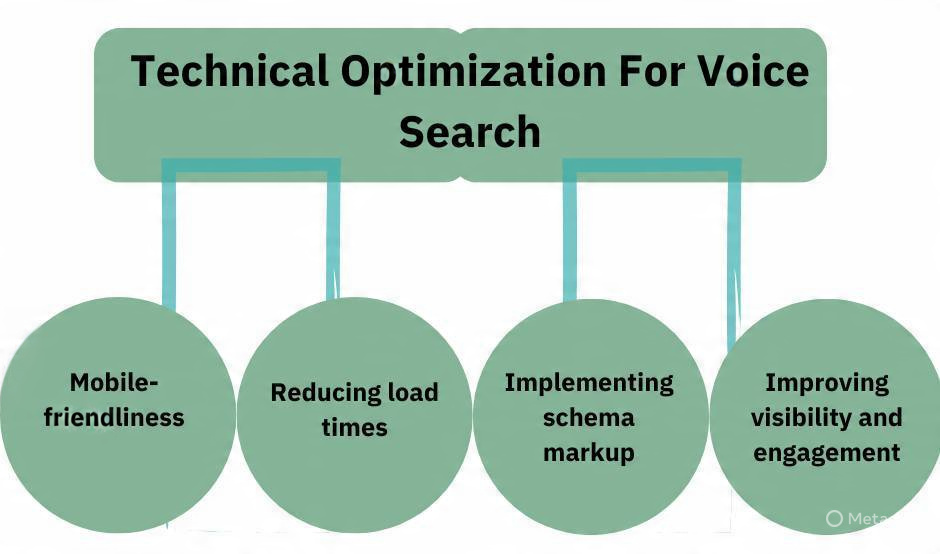
Strategy 3: Improve Page Speed and Technical SEO
Voice search users are impatient. They’re usually on the move, multitasking, or looking for instant answers. If your page takes too long to load, it’s game over before it even begins.
Page speed is a critical ranking factor for voice search. Google prioritizes fast-loading pages because voice assistants need to deliver answers immediately. A delay of even a second can push your content out of contention.
Start with the basics:
- Optimize images without sacrificing quality
- Use browser caching
- Minimize CSS and JavaScript
- Choose fast, reliable hosting
Then, focus on Core Web Vitals—metrics that measure real-world user experience. These include loading speed, interactivity, and visual stability. Pages that perform well here are far more likely to rank for voice queries.
Technical SEO also plays a huge role. Ensure your site:
- Is mobile-friendly
- Uses HTTPS
- Has clean URL structures
- Is free from crawl errors
Voice search isn’t just about what you say—it’s about how efficiently your site delivers that information. Speed and stability build trust, and trust wins voice rankings.
Strategy 4: Optimize for Local Voice Search
Local voice search is where things get seriously powerful—especially for small and medium-sized businesses. Queries like “best dentist near me” or “coffee shop open right now” are exploding, and voice assistants are often the first place people turn.
To optimize for local voice search, your Google Business Profile is non-negotiable. Make sure it’s fully optimized with:
- Accurate business name, address, and phone number
- Updated hours of operation
- High-quality images
- Relevant categories
Consistency is key. Your NAP (Name, Address, Phone) details must match across your website, directories, and social platforms. Even small discrepancies can hurt your chances.
Local voice search also relies heavily on reviews. Positive reviews signal trust and relevance. Encourage satisfied customers to leave reviews and respond to them—yes, even the negative ones.
Finally, create location-specific content. Mention landmarks, neighborhoods, and local terms naturally within your content. This helps voice assistants understand exactly where you operate and who you serve.
Local SEO Signals That Matter Most
When it comes to local voice search, three signals stand above the rest:
- Relevance:
How well your business matches the query. - Proximity:
How close you are to the user’s location. - Prominence:
How well-known and trusted your business is online.
You can’t control proximity, but you can absolutely improve relevance and prominence. Optimized content, strong reviews, and local backlinks all contribute to stronger local voice visibility.
Voice search favors businesses that are not just nearby—but clearly the best option.
Strategy 5: Use Schema Markup
Schema markup is like giving search engines a cheat sheet about your content. It’s structured data that helps Google understand exactly what your page is about—and that’s incredibly valuable for voice search.
When your content is marked up with schema, search engines can easily extract key details like:
- FAQs
- Business information
- Reviews and ratings
- Events
- Products
This makes your content more eligible for rich results and spoken answers.
For voice search, FAQ schema is especially powerful. It allows Google to pull question-and-answer pairs directly from your site, increasing your chances of being read aloud by voice assistants.
You don’t need to mark up everything. Focus on high-value pages:
- Service pages
- Blog posts answering questions
- Local business pages
Schema doesn’t guarantee voice rankings, but it significantly improves your odds. Think of it as removing friction between your content and search engines.
Strategy 6: Create FAQ-Focused Content
If voice search had a favorite content type, FAQs would win by a landslide.
Why? Because voice queries are usually questions—and FAQ pages are literally built to answer them.
An effective FAQ section mirrors how people speak. Each question should sound natural, not forced. Instead of “Voice Search Optimization Benefits,” use “What are the benefits of voice search optimization?”
Answer each question clearly and concisely. Aim for 40–60 words per answer, followed by optional supporting details. This makes it perfect for voice assistants and still valuable for readers.
FAQ content also improves:
- Featured snippet visibility
- User engagement
- Time on page
You can add FAQ sections to blog posts, service pages, and even product pages. The more relevant questions you answer, the more opportunities you create to rank for voice queries.
Strategy 7: Optimize Content for Mobile Users
Voice search and mobile optimization go hand in hand. Most voice searches happen on smartphones, and Google’s mobile-first indexing means your mobile site is the primary version that gets evaluated.
A mobile-optimized site isn’t just responsive—it’s usable. That means:
- Large, readable fonts
- Easy navigation
- Minimal pop-ups
- Fast load times
Content readability matters too. Break up long paragraphs, use bullet points, and keep sentences short. Remember, voice search users are often scanning results or listening while multitasking.
Accessibility also plays a role. Clear headings, descriptive links, and logical structure help both users and search engines understand your content better.
If your mobile experience feels effortless, your voice search performance will reflect that.
Strategy 8: Strengthen Domain Authority
Voice assistants prefer answers from sources they trust. That trust comes from domain authority—a combination of backlinks, content quality, and brand credibility.
High-quality backlinks from reputable sites signal that your content is reliable. But don’t chase links blindly. Focus on relevance and authenticity. One strong backlink is worth more than ten weak ones.
Content depth also matters. Thin content doesn’t rank well for voice search. Comprehensive, well-researched articles signal expertise and authority.
Brand mentions—even without links—also help. When people talk about your brand online, search engines take notice.
Authority isn’t built overnight, but every high-quality piece of content moves you closer to becoming the trusted voice in your niche.
Strategy 9: Use Natural, Simple Language
This might be the most overlooked strategy—and the most important.
Voice search rewards content that sounds human. Complex jargon, long sentences, and corporate buzzwords don’t translate well when spoken aloud.
Aim for an 8th-grade reading level. Use simple words. Short sentences. Clear explanations.
Write like you’re explaining something to a friend over coffee. Ask rhetorical questions. Use analogies. Keep it conversational.
When your content sounds natural, voice assistants are more likely to choose it. And users are more likely to trust it.
Strategy 10: Monitor and Adapt Voice Search Performance
Voice search optimization isn’t a one-time task. It’s an ongoing process.
Use tools like:
- Google Search Console
- Google Analytics
- Keyword research platforms
Look for question-based queries and long-tail keywords driving impressions. Track featured snippet performance. Analyze local search visibility.
As voice technology evolves, so should your content. Update answers, refine wording, and stay aligned with how people actually speak.
The brands that win voice search are the ones that listen—and adapt.
Future of Voice Search Optimization
Voice search is moving beyond smart speakers. It’s becoming multimodal—combining voice, visuals, and context. Voice commerce, AI-driven assistants, and personalized search experiences are all on the rise.
Optimizing for voice today prepares you for the future of search tomorrow.
Conclusion
Voice search optimization isn’t about gaming algorithms—it’s about serving real people in real moments. By focusing on natural language, clear answers, strong technical foundations, and genuine value, you position your content to be the answer users hear.
The future of SEO is spoken. Make sure your brand has something worth saying.
FAQs
1. Is voice search really important for SEO?
Yes. Voice search is growing rapidly and influences mobile, local, and zero-click search results.
2. How long should answers be for voice search?
Ideally 40–60 words for direct answers, followed by optional details.
3. Does voice search only matter for local businesses?
No. While local searches dominate, informational and transactional queries are also common.
4. Can small websites rank for voice search?
Absolutely. Clear answers, strong intent matching, and good structure can outperform larger sites.
5. How do I know if my site is optimized for voice search?
Check for conversational keywords, featured snippets, mobile performance, and FAQ content.