
Introduction
In a world where digital experiences decide whether a user stays or leaves within seconds, businesses can no longer rely on generic, one-size-fits-all software. Customers expect speed, personalization, security, and seamless functionality—and that’s exactly where Custom Web Application Development becomes a game changer. Instead of forcing your business to adjust to pre-built tools, custom web applications are designed to adjust to you.
Think of it this way: using off-the-shelf software is like renting a house—you can live in it, but you can’t change much. Custom web application development, on the other hand, is like building your own home. You decide the layout, the rooms, the design, and even how it grows in the future. This flexibility is the reason startups, enterprises, and fast-growing businesses are increasingly investing in custom-built web solutions.
This guide will walk you through Custom Web Application Development: 10 Phases from Concept to Launch, but before diving into those phases, it’s important to understand what custom web applications really are, why they matter, and how they differ from ready-made solutions.
What Is Custom Web Application Development?
Custom Web Application Development is the process of designing, building, deploying, and maintaining web-based software that is tailored specifically to a business’s unique requirements. Unlike generic software, which is designed for mass usage, custom web applications are built with a specific audience, workflow, and goal in mind.
These applications run on web browsers and can be accessed from anywhere, making them ideal for modern businesses that operate remotely or serve global users. From CRM systems and e-commerce platforms to learning management systems and SaaS products, custom web apps power many of the digital tools we use every day.
What makes custom development special is control. You control the features, the user experience, the integrations, and even how the app evolves over time. There are no unnecessary features slowing things down, and no limitations imposed by third-party vendors. Everything is built with intention.
For example, a logistics company may need real-time tracking, route optimization, and role-based dashboards—features that generic software might not support efficiently. With custom web application development, these exact needs can be translated into powerful digital solutions that improve productivity and customer satisfaction.
In simple words, custom web applications are not just software—they are strategic business assets.
Why Custom Web Application Development Is Important for Modern Businesses
The digital landscape is changing rapidly, and businesses that fail to adapt risk being left behind. Custom Web Application Development plays a crucial role in helping companies stay competitive, agile, and future-ready.
One major reason custom web apps are important is scalability. As your business grows, your software must grow with it. Generic solutions often hit a ceiling—limited users, restricted features, or expensive upgrades. Custom applications, however, are built with scalability in mind, allowing you to add features, users, and integrations without disrupting existing operations.
Another critical factor is user experience (UX). Modern users expect intuitive navigation, fast loading times, and personalized experiences. Custom web apps allow businesses to design interfaces that perfectly align with user behavior and expectations. This directly impacts engagement, retention, and conversions.
Security is another key advantage. Since custom web applications are built specifically for your business, security measures can be implemented based on your data sensitivity and compliance requirements. Unlike widely used software that becomes an easy target for hackers, custom applications reduce exposure to common vulnerabilities.
Ultimately, custom web application development empowers businesses to innovate, automate processes, reduce operational costs, and deliver exceptional digital experiences—all of which are essential in today’s competitive environment.
Custom Web Application Development vs Off-the-Shelf Solutions
One of the most common questions businesses ask is: Why not just use ready-made software? The answer lies in flexibility, ownership, and long-term value.
Off-the-shelf solutions are designed for a broad audience. While they may be cheaper initially, they often come with limitations—restricted customization, recurring license fees, and features you don’t actually need. Over time, these limitations can slow down operations and increase costs.
Custom Web Application Development, on the other hand, focuses on building exactly what your business requires—nothing more, nothing less. You own the code, the data, and the roadmap. This means you’re not dependent on third-party vendors for updates or feature requests.
Another major difference is integration. Custom web applications can seamlessly integrate with your existing tools such as CRMs, ERPs, payment gateways, analytics platforms, or third-party APIs. This creates a smooth digital ecosystem instead of disconnected tools.
While custom development requires a higher upfront investment, it delivers long-term ROI through improved efficiency, better user experience, enhanced security, and unlimited scalability. For businesses serious about growth, custom web applications are not an expense—they’re an investment.
Why Businesses Need Custom Web Applications
Businesses today operate in an environment of rapid technological change. Consumer expectations evolve daily, and relying on generic tools can leave you lagging behind. Here’s why custom web apps are essential:
- Unique Business Needs: Every company has processes, workflows, and goals that are unique. Custom apps adapt to your operations rather than forcing your operations to adapt to the software.
- Better User Experience (UX): With a tailored approach, you can design interfaces that match your target audience’s expectations and behavior. This increases engagement and reduces churn.
- Scalability: Off-the-shelf solutions may struggle to handle business growth. Custom web apps can scale seamlessly as your business expands.
- Integration Capabilities: Custom apps can integrate with your existing systems (CRM, ERP, analytics tools) for a unified workflow.
- Competitive Advantage: A well-designed, unique application can differentiate your business in a crowded market.
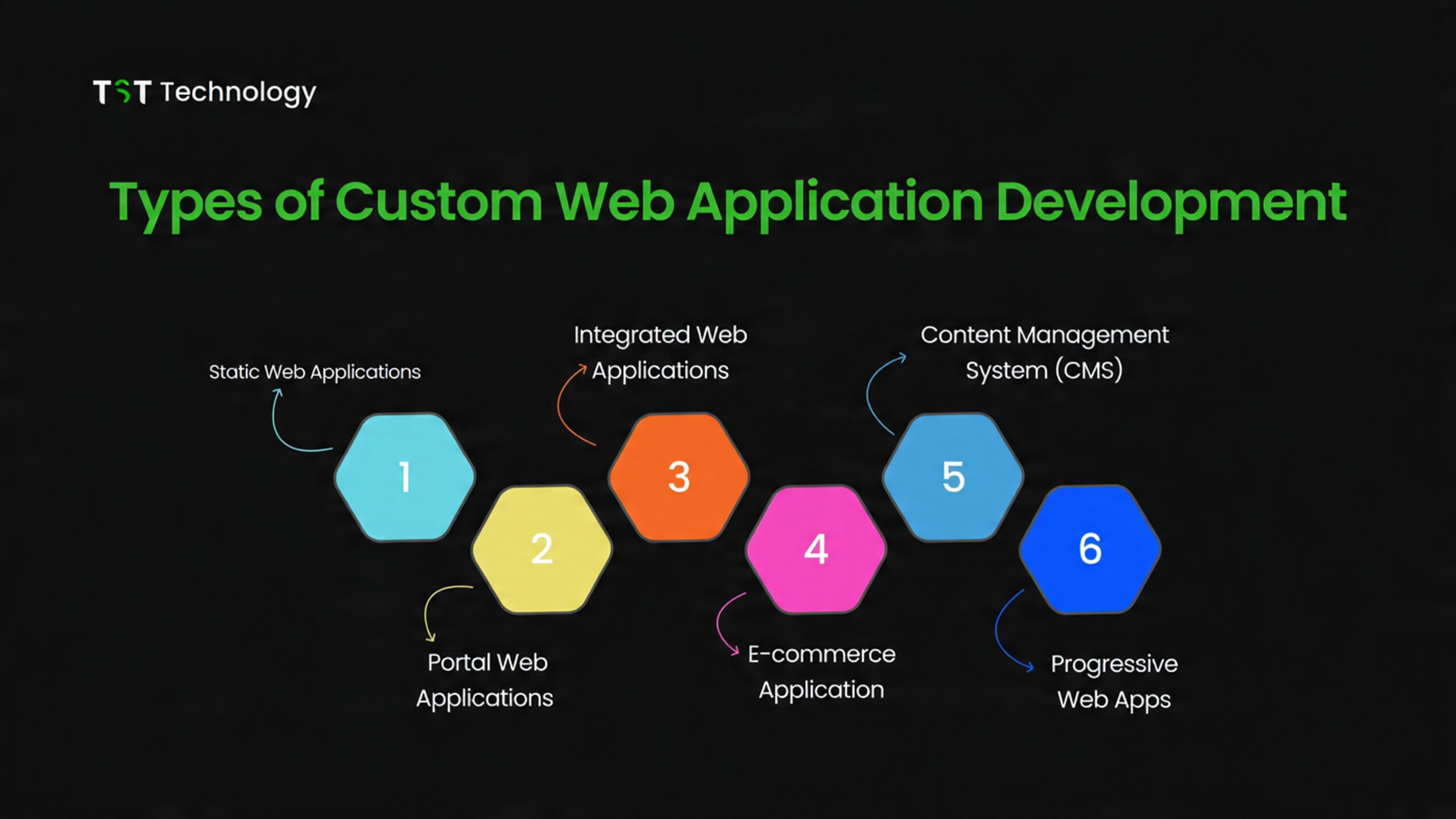
1. Ideation and Conceptualization: Laying the Foundation
Every great building starts with a blueprint, and every successful web app starts with a solid concept. Think of ideation as planting a seed—you need to nurture it carefully before it grows.
Key Steps in Ideation:
- Identify the problem: Ask yourself, “What pain point does this app solve?” For instance, a food delivery app isn’t just about ordering food—it solves the problem of convenience.
- Define your target audience: Knowing your users is like having a map before a road trip—you won’t get lost halfway. Create user personas considering demographics, interests, and behavior.
- Analyze competitors: Look at apps solving similar problems. What do users love? What frustrates them? This helps in defining your unique value proposition (UVP).
- Brainstorm features: List all potential features. Later, prioritize them into must-have, nice-to-have, and optional.
- Pro Tip: Use mind maps or tools like Miro to visualize your app idea—it turns abstract thoughts into concrete structures.
Mistakes to Avoid:
- Jumping straight into development without clear goals.
- Ignoring user research or competitor analysis.
- Overloading the app with unnecessary features in the initial phase.
Imagine if Uber had launched with delivery, taxis, bikes, scooters, and food at once—it would have confused everyone!
2. Requirement Analysis: Turning Ideas into Specifications
Once your concept is solid, it’s time to translate ideas into detailed requirements. This is like writing the script before shooting a movie.
Why Requirement Analysis Matters:
- Avoids scope creep (unexpected features that derail the project).
- Provides a roadmap for developers, designers, and stakeholders.
- Ensures the final product aligns with business goals.
Key Components:
- Functional Requirements: What your app should do (e.g., “Users can log in using Google”).
- Non-Functional Requirements: Performance, security, scalability, and usability expectations.
- Technical Requirements: Platform choices (React, Node.js, Django), integrations, APIs, and hosting.
Best Practices:
- Conduct workshops with stakeholders.
- Document requirements in Software Requirement Specification (SRS) format.
- Prioritize features using the MoSCoW method (Must-have, Should-have, Could-have, Won’t-have).
Example: For an e-commerce web app:
- Functional: Product listing, shopping cart, payment gateway integration.
- Non-Functional: Page load <3 seconds, mobile responsiveness, secure payment.
- Technical: React frontend, Node.js backend, PostgreSQL database.
Think of requirement analysis as your project’s GPS—it keeps everyone on the right path.
3. Planning and Project Strategy: Mapping the Journey
Planning isn’t just about timelines—it’s about strategy. This phase converts your requirements into actionable plans.
Steps in Project Planning:
- Define project scope: Determine what’s included and what’s not. Avoid ambiguity.
- Estimate time and cost: Use past data, developer experience, and complexity of features to forecast.
- Allocate resources: Decide team structure—project manager, developers, designers, QA engineers.
- Risk Management: Identify potential roadblocks (delays, technical issues, third-party dependencies) and mitigation strategies.
Tools for Planning:
- Jira or Trello for task management
- Gantt charts for visual timeline
- Slack or Microsoft Teams for team collaboration
Mistakes to Avoid:
- Underestimating project time and budget.
- Ignoring potential risks.
- Lack of stakeholder communication.
Imagine setting off on a road trip without checking the car fuel, GPS, or weather—you’re asking for trouble!
4. UI/UX Design: Crafting User-Centric Experiences
Your app can have amazing features, but if users get frustrated, it won’t succeed. UI/UX design ensures your app is intuitive, engaging, and delightful.
UI vs UX:
- UX (User Experience): Focuses on functionality and ease of use. Think of it as the layout of a supermarket—how easily you can find items.
- UI (User Interface): Visual elements, colors, typography, and buttons. This is the aesthetic feel, like the decor of the store.
Design Process:
- Wireframing: Sketch app layout using tools like Figma or Balsamiq.
- Prototyping: Create clickable models to simulate user flow.
- User Testing: Collect feedback to refine designs before development.
Best Practices:
- Keep navigation simple.
- Use consistent branding and color schemes.
- Ensure mobile-first design—it’s 2026, most users are on mobile.
Mistakes to Avoid:
- Overcomplicating UI with unnecessary animations.
- Ignoring accessibility standards.
- Skipping user testing—your assumptions may not match reality.
Think of your app as a shop—no matter how good the products are, if customers can’t find them, sales drop.
5. Architecture and Technology Stack: Building the Skeleton
At this stage, developers decide how the app will work behind the scenes. This is like constructing the skeleton before putting on the skin.
Key Decisions:
- Frontend framework: React, Angular, Vue.js
- Backend framework: Node.js, Django, Ruby on Rails
- Database: SQL (PostgreSQL, MySQL) or NoSQL (MongoDB)
- Hosting & Cloud Services: AWS, Azure, Google Cloud
Factors to Consider:
- Scalability: Can the app handle 10x more users in the future?
- Performance: Fast load times improve user retention.
- Security: Use encryption, secure authentication, and regular audits.
Example Table: Frontend vs Backend Technologies
| Layer | Options | Use Case | Pros | Cons |
|---|---|---|---|---|
| Frontend | React, Angular, Vue | Interactive UI | Fast, reusable components, large community | Learning curve for Angular |
| Backend | Node.js, Django, Rails | Business logic, database communication | Scalable, fast, flexible | Node.js callback complexity |
| Database | MySQL, PostgreSQL, MongoDB | Data storage | Reliable, ACID compliant, flexible | NoSQL may lack ACID in some cases |
| Hosting | AWS, Azure, Google Cloud | Deployment & scaling | Scalable, reliable, global infrastructure | Cost can be high for small apps |
Mistakes to Avoid:
- Choosing trendy tech without considering project needs.
- Ignoring long-term maintenance.
- Overcomplicating architecture for small projects.
6. Development: Bringing Designs to Life
Now that the blueprint, designs, and tech stack are ready, it’s time to roll up your sleeves. Development is where your web application starts to take real form. Think of it as building a house—the foundation, walls, plumbing, and wiring all come together before you move in.
Key Steps in Development:
- Frontend Development: Converts designs into interactive user interfaces using HTML, CSS, and JavaScript frameworks. Developers ensure responsiveness and smooth animations.
- Backend Development: Handles server-side logic, database management, authentication, and APIs. It’s like the engine of a car—users don’t see it, but the app won’t run without it.
- Integration: Connect frontend and backend seamlessly, ensuring data flows correctly between the user interface and server.
- API Development: If your app needs third-party integrations (payment gateways, social logins, analytics), APIs are the bridges connecting systems.
Best Practices:
- Follow version control with Git to track changes.
- Implement coding standards and documentation for maintainability.
- Conduct regular code reviews to prevent bugs early.
Mistakes to Avoid:
- Writing messy, undocumented code.
- Ignoring security during development—SQL injections or XSS attacks can ruin an app’s reputation.
- Rushing features without testing functionality.
7. Quality Assurance (QA) and Testing: Catching Bugs Before Users Do
Even the best developers make mistakes. QA ensures your app is stable, secure, and user-friendly. Skipping this phase is like sending your freshly baked cake straight to a customer without tasting it—disaster waiting to happen.
Types of Testing:
- Unit Testing: Test individual functions or components.
- Integration Testing: Ensure different modules work together.
- User Acceptance Testing (UAT): Real users try the app to check if it meets expectations.
- Performance Testing: Evaluate speed, scalability, and responsiveness under load.
- Security Testing: Detect vulnerabilities like data breaches or weak authentication.
QA Best Practices:
- Automate repetitive tests using tools like Selenium or Cypress.
- Maintain a bug tracking system like Jira or Bugzilla.
- Conduct testing across multiple devices and browsers.
Common Mistakes:
- Skipping cross-platform testing.
- Fixing bugs without root cause analysis.
- Delaying QA until the final stages.
8. Deployment: Launching Your Web Application
After meticulous planning, design, coding, and testing, it’s finally time to go live. Deployment is not just pushing code to a server—it’s ensuring everything runs smoothly in the real world.
Deployment Steps:
- Select Hosting Environment: Cloud hosting like AWS, Azure, or Google Cloud is ideal for scalability.
- Set Up Domain & SSL: Ensure secure HTTPS access for user trust.
- Continuous Deployment: Automate releases using CI/CD pipelines to minimize errors.
- Monitor Performance: Tools like New Relic or Google Analytics help track real-time user activity.
Mistakes to Avoid:
- Launching without a backup plan.
- Ignoring server load testing—expecting 10 users but getting 10,000? Disaster.
- Not having rollback mechanisms in case of failure.
9. Post-Launch Support and Maintenance: Keeping the App Alive
Launching isn’t the end; it’s just the beginning. Web apps require ongoing support, updates, and optimizations.
Key Maintenance Activities:
- Bug Fixes: No matter how rigorous QA is, real-world use reveals new bugs.
- Feature Updates: Add new features based on user feedback.
- Performance Optimization: Monitor and enhance speed, reduce server load, and improve UX.
- Security Updates: Patch vulnerabilities and update libraries regularly.
Best Practices:
- Set up analytics to track usage patterns.
- Maintain user feedback channels for quick resolution.
- Schedule regular backup routines for data protection.
Imagine if Facebook stopped updating in 2010—you’d still be posting pokes and FarmVille invites!
10. Analytics and Iteration: Continuous Improvement
Think of your web app as a living organism—it grows, adapts, and evolves based on user behavior. Analytics provides insights into what works, what doesn’t, and where to improve.
Analytics Tools:
- Google Analytics for user tracking
- Hotjar for heatmaps and session recordings
- Mixpanel for engagement and conversion analysis
Iteration Strategies:
- Identify drop-off points in user flows and optimize them.
- A/B test UI changes, features, and content.
- Prioritize updates based on user feedback and analytics data.
Future Growth:
- Integrate AI-driven personalization for better UX.
- Use predictive analytics for retention and engagement.
- Expand platform compatibility (mobile, PWA, desktop apps).
Imagine having a map showing exactly where users get stuck in your app—that’s analytics giving you superpowers!
Future Trends in Custom Web Application Development
- AI & Machine Learning Integration: Apps will predict user needs, automate tasks, and personalize experiences.
- Progressive Web Apps (PWAs): Seamless offline experience and app-like behavior on browsers.
- Serverless Architecture: Reduces costs, improves scalability, and simplifies maintenance.
- Enhanced Security Protocols: With cyber threats increasing, robust encryption and multi-factor authentication will be standard.
- Voice & AR/VR Integration: Imagine interacting with apps through voice commands or AR overlays—future UX is immersive.
Common Mistakes to Avoid in Custom Web Application Development
- Skipping requirement analysis or user research.
- Overloading features in the MVP (Minimum Viable Product).
- Ignoring cross-browser and mobile testing.
- Not planning for post-launch support.
- Selecting technologies based on trends, not suitability.
FAQs
1. How long does it take to develop a custom web application?
It depends on complexity, team size, and requirements. Typically, a medium-complexity app takes 4–6 months from ideation to launch.
2. Is custom development more expensive than using off-the-shelf solutions?
Yes, initially it costs more, but you gain scalability, flexibility, and competitive advantage, which often saves money long-term.
3. What’s the difference between frontend and backend in web development?
Frontend is what users see and interact with; backend is the server, database, and logic behind the scenes. Both are crucial for app functionality.
4. How do I ensure my web app is secure?
Use HTTPS, strong authentication, data encryption, secure coding practices, and regular security audits.
5. Can a web app be converted into a mobile app later?
Yes! Using frameworks like React Native or Flutter, your web app can evolve into cross-platform mobile apps.
Conclusion
Custom web application development is a journey from idea to reality, requiring careful planning, execution, and iteration. By following these 10 phases—ideation, requirement analysis, planning, UI/UX design, architecture, development, QA, deployment, post-launch support, and analytics—you can create apps that not only work flawlessly but also delight users. Think of it as planting a seed, nurturing it carefully, and watching it grow into a thriving tree bearing fruit for years.
With future trends like AI, PWAs, and immersive experiences, the possibilities are endless. The key takeaway? Invest time in each phase, listen to your users, and never stop iterating.