Website Development

Progressive Web Apps
Miscellaneous, Website Development

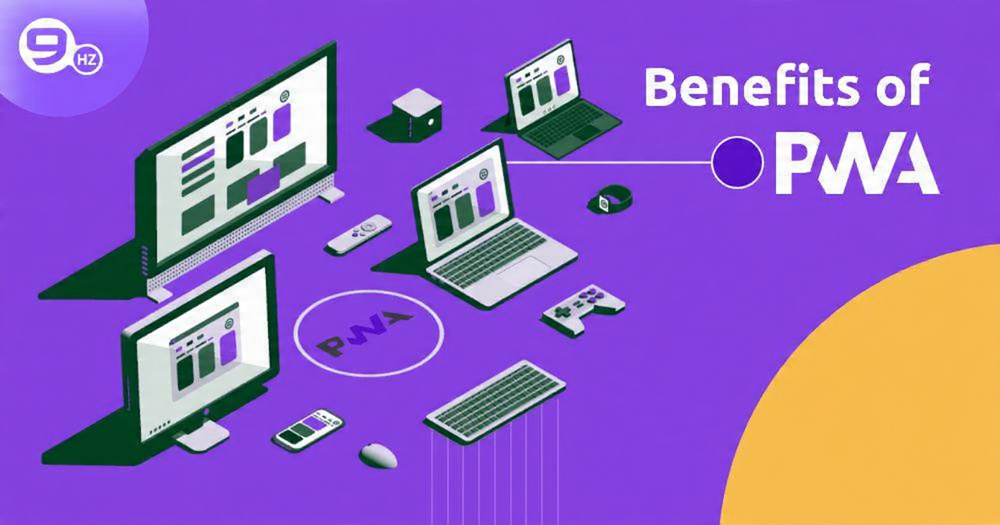
Progressive Web Apps (PWA): 11 Benefits and Complete Development Guide

Introduction  Progressive Web Apps are changing the way people experience the web, and honestly, it’s about time. In a world where users expect instant loading, smooth navigation, and app-like interactions, traditional websites often fall short. That’s where Progressive Web Apps step in. They combine the best features of modern websites and native mobile applications to deliver fast, reliable, and engaging digital experiences—all from a single codebase. Unlike regular web apps, Progressive Web Apps are built to work seamlessly across devices and network conditions. Whether a user is browsing on a high-speed connection or struggling with a weak signal, a well-built PWA still loads quickly and remains usable. Thanks to smart caching, service workers, and modern browser APIs, Progressive Web Apps can work offline, send push notifications, and even be installed directly on a user’s home screen without going through an app store. What makes Progressive Web Apps truly powerful is their accessibility. Users don’t need to download large files, manage updates, or worry about device compatibility. They simply visit a URL and start using the app. For businesses, this means higher engagement, better retention, improved SEO performance, and significantly lower development costs compared to native apps. As user behavior continues to shift toward mobile-first and performance-driven experiences, Progressive Web Apps are no longer optional—they’re becoming a smart, future-ready solution for brands that want to stay competitive on the modern web. Evolution of Web Applications The web didn’t start out the way we know it today. Early websites were nothing more than static pages—simple text and images stitched together with basic HTML. They were informative, sure, but not interactive. Users consumed content; they didn’t engage with it. That was enough at the time, but as expectations grew, the web had to evolve. Then came dynamic websites powered by JavaScript, CSS, and backend technologies. Suddenly, users could log in, submit forms, interact with content, and experience richer interfaces. This evolution gave birth to web applications—platforms like Gmail, Facebook, and YouTube that felt almost like software rather than websites. However, even advanced web apps had limitations. They relied heavily on constant internet connectivity, lacked access to device features, and couldn’t match the smooth performance of native mobile apps. On the other hand, native apps offered excellent performance and deep device integration but came with their own problems: high development costs, separate codebases, app store approval processes, and storage consumption. This gap between web apps and native apps is where Progressive Web Apps stepped in. PWAs were designed to take the best parts of both worlds. They maintain the openness and accessibility of the web while delivering the speed, reliability, and engagement of native apps. Think of PWAs as the natural next step in the evolution of the web. They’re not replacing websites or native apps outright, but they’re redefining what’s possible on the web. With advancements in browser APIs and modern JavaScript frameworks, PWAs are now capable of doing things that were once exclusive to native apps—offline access, push notifications, background sync, and more. This evolution isn’t just technical; it’s philosophical. The web is becoming more user-centric, more inclusive, and more powerful. PWAs are a clear reflection of that shift. What Makes a Web App “Progressive”? The word “progressive” in Progressive Web Apps isn’t just marketing jargon—it has a very specific meaning. A web app is considered progressive because it works for every user, regardless of their browser, device, or network conditions. Instead of breaking when something isn’t supported, it gracefully enhances the experience where possible. Progressive enhancement is the backbone of PWAs. The idea is simple: start with a basic, functional experience and then layer on advanced features as the user’s device and browser allow. If a browser supports service workers, the app gets offline functionality. If it supports push notifications, users get alerts. If not, the app still works—just without those extras. Another defining characteristic of PWAs is responsiveness. A progressive web app looks and feels great on any screen size, whether it’s a smartphone, tablet, laptop, or desktop monitor. This isn’t optional; it’s a requirement. PWAs are built with a mobile-first mindset, ensuring usability across all devices. PWAs are also connectivity-independent. They can load and function even on flaky or nonexistent networks, thanks to intelligent caching strategies. This is especially important in regions with unreliable internet access, where traditional websites often fail to deliver a usable experience. Lastly, PWAs are discoverable. Unlike native apps, which are hidden behind app store searches, PWAs live on the open web. Search engines can crawl and index them, making them easy to find. This discoverability, combined with app-like features, is what truly sets PWAs apart. In short, a web app becomes “progressive” when it stops being fragile and starts being adaptable. It meets users where they are, rather than forcing them into a specific environment. Core Components of Progressive Web Apps Service Workers Service workers are the unsung heroes of Progressive Web Apps. They run in the background, separate from the main browser thread, and act as a programmable network proxy. This means they can intercept network requests, cache resources, and decide how to respond—whether from the cache, the network, or a combination of both. The most powerful feature enabled by service workers is offline functionality. By caching essential assets, a PWA can load instantly and continue to function even when the user loses internet connectivity. Service workers also enable background sync, allowing data to be sent to the server once the connection is restored. From a performance standpoint, service workers are a game-changer. They reduce load times, minimize server requests, and create a smoother user experience overall. Web App Manifest The web app manifest is a simple JSON file, but its impact is huge. It tells the browser how your PWA should behave when installed on a user’s device. This includes the app name, icons, theme colors, display mode, and startup screen. Thanks to the manifest, users can add a PWA to their home screen, launch it like a native app, and


Website Development

Custom Web Application Development: 10 Proven Phases from Idea to Launch

Introduction In a world where digital experiences decide whether a user stays or leaves within seconds, businesses can no longer rely on generic, one-size-fits-all software. Customers expect speed, personalization, security, and seamless functionality—and that’s exactly where Custom Web Application Development becomes a game changer. Instead of forcing your business to adjust to pre-built tools, custom web applications are designed to adjust to you. Think of it this way: using off-the-shelf software is like renting a house—you can live in it, but you can’t change much. Custom web application development, on the other hand, is like building your own home. You decide the layout, the rooms, the design, and even how it grows in the future. This flexibility is the reason startups, enterprises, and fast-growing businesses are increasingly investing in custom-built web solutions. This guide will walk you through Custom Web Application Development: 10 Phases from Concept to Launch, but before diving into those phases, it’s important to understand what custom web applications really are, why they matter, and how they differ from ready-made solutions. What Is Custom Web Application Development? Custom Web Application Development is the process of designing, building, deploying, and maintaining web-based software that is tailored specifically to a business’s unique requirements. Unlike generic software, which is designed for mass usage, custom web applications are built with a specific audience, workflow, and goal in mind. These applications run on web browsers and can be accessed from anywhere, making them ideal for modern businesses that operate remotely or serve global users. From CRM systems and e-commerce platforms to learning management systems and SaaS products, custom web apps power many of the digital tools we use every day. What makes custom development special is control. You control the features, the user experience, the integrations, and even how the app evolves over time. There are no unnecessary features slowing things down, and no limitations imposed by third-party vendors. Everything is built with intention. For example, a logistics company may need real-time tracking, route optimization, and role-based dashboards—features that generic software might not support efficiently. With custom web application development, these exact needs can be translated into powerful digital solutions that improve productivity and customer satisfaction. In simple words, custom web applications are not just software—they are strategic business assets. Why Custom Web Application Development Is Important for Modern Businesses The digital landscape is changing rapidly, and businesses that fail to adapt risk being left behind. Custom Web Application Development plays a crucial role in helping companies stay competitive, agile, and future-ready. One major reason custom web apps are important is scalability. As your business grows, your software must grow with it. Generic solutions often hit a ceiling—limited users, restricted features, or expensive upgrades. Custom applications, however, are built with scalability in mind, allowing you to add features, users, and integrations without disrupting existing operations. Another critical factor is user experience (UX). Modern users expect intuitive navigation, fast loading times, and personalized experiences. Custom web apps allow businesses to design interfaces that perfectly align with user behavior and expectations. This directly impacts engagement, retention, and conversions. Security is another key advantage. Since custom web applications are built specifically for your business, security measures can be implemented based on your data sensitivity and compliance requirements. Unlike widely used software that becomes an easy target for hackers, custom applications reduce exposure to common vulnerabilities. Ultimately, custom web application development empowers businesses to innovate, automate processes, reduce operational costs, and deliver exceptional digital experiences—all of which are essential in today’s competitive environment. Custom Web Application Development vs Off-the-Shelf Solutions One of the most common questions businesses ask is: Why not just use ready-made software? The answer lies in flexibility, ownership, and long-term value. Off-the-shelf solutions are designed for a broad audience. While they may be cheaper initially, they often come with limitations—restricted customization, recurring license fees, and features you don’t actually need. Over time, these limitations can slow down operations and increase costs. Custom Web Application Development, on the other hand, focuses on building exactly what your business requires—nothing more, nothing less. You own the code, the data, and the roadmap. This means you’re not dependent on third-party vendors for updates or feature requests. Another major difference is integration. Custom web applications can seamlessly integrate with your existing tools such as CRMs, ERPs, payment gateways, analytics platforms, or third-party APIs. This creates a smooth digital ecosystem instead of disconnected tools. While custom development requires a higher upfront investment, it delivers long-term ROI through improved efficiency, better user experience, enhanced security, and unlimited scalability. For businesses serious about growth, custom web applications are not an expense—they’re an investment. Why Businesses Need Custom Web Applications Businesses today operate in an environment of rapid technological change. Consumer expectations evolve daily, and relying on generic tools can leave you lagging behind. Here’s why custom web apps are essential: Unique Business Needs: Every company has processes, workflows, and goals that are unique. Custom apps adapt to your operations rather than forcing your operations to adapt to the software. Better User Experience (UX): With a tailored approach, you can design interfaces that match your target audience’s expectations and behavior. This increases engagement and reduces churn. Scalability: Off-the-shelf solutions may struggle to handle business growth. Custom web apps can scale seamlessly as your business expands. Integration Capabilities: Custom apps can integrate with your existing systems (CRM, ERP, analytics tools) for a unified workflow. Competitive Advantage: A well-designed, unique application can differentiate your business in a crowded market. 1. Ideation and Conceptualization: Laying the Foundation Every great building starts with a blueprint, and every successful web app starts with a solid concept. Think of ideation as planting a seed—you need to nurture it carefully before it grows. Key Steps in Ideation: Identify the problem: Ask yourself, “What pain point does this app solve?” For instance, a food delivery app isn’t just about ordering food—it solves the problem of convenience. Define your target audience: Knowing your users is like having a map before

API Development
Website Development

API Development Best Practices: 12 Essential Guideline

Introduction APIs are everywhere. They quietly power mobile apps, connect cloud services, integrate third-party platforms, and make modern software ecosystems possible. Whether you’re ordering food online, checking your bank balance, or syncing data between tools, APIs are working behind the scenes like invisible messengers. Because of this, building APIs isn’t just a technical task anymore—it’s a strategic responsibility. API development has become a critical foundation of modern software architecture. From mobile applications to cloud platforms, effective API development ensures seamless communication between systems. When API development best practices are ignored, teams face performance bottlenecks, security risks, and integration failures. That’s why understanding API development from a strategic and technical perspective is no longer optional—it’s essential for building scalable, reliable, and future-proof digital products. Poorly designed APIs can feel like a maze with missing signboards. They confuse developers, slow down integration, and eventually create technical debt that’s expensive to fix. On the other hand, a well-designed API feels intuitive, predictable, and reliable. It saves time, reduces errors, and scales smoothly as demand grows. That’s why following API development best practices isn’t optional—it’s essential. Think of an API like a restaurant menu. If the menu is messy, poorly organized, and unclear, customers get frustrated and leave. But if it’s clear, consistent, and easy to understand, people enjoy the experience and come back. APIs work the same way. Developers are your customers, and usability is everything. In this article, we’ll walk through 13 essential API development best practices that help you build secure, scalable, and developer-friendly APIs. Some of these guidelines focus on design, others on performance, security, or long-term maintenance. Together, they form a solid foundation for APIs that not only work today but continue to deliver value tomorrow. 1. Understand Your API Consumers First Before writing a single line of API code, it’s crucial to understand who will use it and how. This step is often skipped, yet it’s one of the most important parts of API development. APIs are built for humans first and machines second. If developers struggle to understand your API, adoption will suffer no matter how powerful it is. Identifying Target Users Ask yourself a few simple but powerful questions: Is this API for internal teams, external partners, or public developers? Are the users beginners, experienced engineers, or a mix of both? Will they use the API occasionally or as a core part of their product? An internal API might prioritize speed and flexibility, while a public API needs extra clarity, documentation, and stability. Understanding your audience helps you make better design choices, from naming conventions to authentication methods. Designing APIs Around Real Use Cases APIs shouldn’t be built around database tables or internal logic. They should be built around real-world use cases. Imagine how a developer would interact with your API step by step. What problem are they trying to solve? What data do they need first, and what comes next? For example, instead of exposing raw data endpoints, design workflows that feel natural. When APIs mirror how users think, integration becomes smoother and more enjoyable. This user-first mindset turns APIs into tools people actually want to use. 2. Use Clear and Consistent Naming Conventions Naming might seem like a small detail, but in API development, it has a massive impact. Clear and consistent naming reduces confusion, improves readability, and makes your API self-explanatory. Resource Naming Standards Use nouns to represent resources and keep them simple. For example: /users instead of /getUsers /orders instead of /orderList Plural nouns are generally preferred because they represent collections. Consistency is key—once you choose a style, stick to it everywhere. URI Design Best Practices Your URLs should be predictable and hierarchical. A good URI tells a story. For example: /users/123/orders clearly shows that orders belong to a specific user. Avoid deep nesting that becomes hard to manage, but don’t flatten everything either. Balance clarity with simplicity. A well-structured URI acts like a map, guiding developers without forcing them to read extensive documentation. 3. Follow RESTful Principles (When Applicable) REST isn’t the only API architecture, but it’s one of the most widely used. When you choose REST, following its principles helps create APIs that are intuitive and standardized. Stateless Architecture Explained In a RESTful API, every request should contain all the information needed to process it. The server shouldn’t rely on stored session data. This statelessness makes APIs easier to scale and debug. Think of it like sending a letter instead of having a phone call. Each letter contains the full message, so there’s no dependency on previous conversations. Proper Use of HTTP Methods HTTP methods aren’t just technical details—they’re part of the API’s language: GET for retrieving data POST for creating new resources PUT or PATCH for updates DELETE for removal Using these methods correctly makes your API predictable and easier to learn. Developers shouldn’t have to guess what an endpoint does. 4. Version Your APIs from Day One Change is inevitable. Requirements evolve, features grow, and improvements become necessary. API versioning protects your users from breaking changes while giving you room to innovate. Why API Versioning Is Critical Without versioning, even a small change can break existing integrations. That leads to frustration, emergency fixes, and lost trust. Versioning acts like a safety net, allowing old and new versions to coexist. Common API Versioning Strategies Popular versioning approaches include: URL-based versioning (/v1/users) Header-based versioning Query parameter versioning URL-based versioning is the most visible and widely understood. Whatever strategy you choose, be consistent and document it clearly. 5. Design with Scalability in Mind An API that works for 100 users might collapse under 100,000 if scalability isn’t considered early. Scalability isn’t just about infrastructure—it starts with design. Handling Growth Gracefully Efficient data models, stateless design, and proper caching all contribute to scalability. Avoid heavy computations in real-time requests whenever possible. Load Balancing and Caching Basics Caching frequently accessed data reduces server load and improves response times. Load balancing distributes traffic evenly, preventing bottlenecks. Together, they help your API handle growth

Web Hosting
Website Development

Best Web Hosting Explained: 8 Proven Types to Boost Speed and Growth

Introduction Choosing web hosting is a bit like choosing a home for your website. You can live in a small shared apartment, rent a private house, or even build your own mansion from scratch. Each option comes with its own costs, comforts, and compromises. The problem is that most people jump into hosting decisions without really understanding what they are buying. They see a low price tag, click “Buy Now,” and hope for the best. Sometimes that works. Most of the time, it does not. Web hosting is the foundation of your website. It directly affects how fast your pages load, how secure your data is, how often your site goes down, and even how well you rank on search engines. A slow or unreliable host can quietly push visitors away before they even read a single word of your content. On the flip side, the right hosting choice can make your site feel smooth, professional, and trustworthy. This guide breaks down 8 different types of web hosting, explaining what each one is, who it is for, and when it makes sense to use it. Instead of technical jargon, we will use simple language, real-world examples, and honest pros and cons. Whether you are launching your first blog, building an ecommerce store, or managing a high-traffic business website, this comparison will help you choose hosting that actually fits your needs instead of fighting against them. By the end of this guide, you will not only know the differences between shared, VPS, cloud, and dedicated hosting, but you will also understand why one option is better for you than another. Let’s start with the basics. Understanding Web Hosting Basics Web hosting might sound technical, but the core idea is surprisingly simple. Your website is just a collection of files, images, databases, and code. Those files need to live somewhere so people around the world can access them at any time. That “somewhere” is a server, and web hosting is the service that rents you space on that server. Think of the internet as a massive library that never closes. Your website is one book inside it. Web hosting is the shelf where your book sits. If the shelf is unstable, slow, or overcrowded, readers will struggle to access your book. If the shelf is strong, organized, and well-maintained, readers can grab your book instantly. Different hosting types simply mean different ways of sharing or owning those server resources. Some plans put hundreds of websites on one server, while others give you an entire server all to yourself. Some hosting options automatically scale when traffic spikes, while others stay fixed no matter what happens. Understanding these differences is crucial because there is no single “best” hosting type for everyone. Another key point is that hosting is not just about storage. It also includes bandwidth, processing power, security systems, backups, customer support, and server maintenance. When you pay for hosting, you are paying for peace of mind. The level of that peace depends on the hosting type you choose. Before diving into the eight hosting types, you need to understand how hosting works behind the scenes and what factors actually matter when making a decision. Once those pieces click, the comparisons will make a lot more sense. How Web Hosting Works At its core, web hosting works through servers. A server is a powerful computer that runs 24/7, connected to the internet at high speed. When someone types your website’s domain name into their browser, their computer sends a request to your hosting server. The server then sends back your website files, and the browser displays them on the screen. This entire process happens in milliseconds. Every server has limited resources. These include storage space for your files, RAM for running applications, CPU power for processing requests, and bandwidth for transferring data. Hosting providers divide these resources differently depending on the hosting type. In shared hosting, many websites share the same pool of resources. In dedicated hosting, one website gets everything. Uptime is another critical concept. Uptime refers to how often your website is accessible. A hosting provider with 99.9 percent uptime means your site may be down for only a few minutes per month. Poor hosting can lead to frequent downtime, which hurts user trust and search engine rankings. Security also plays a major role. Hosting providers implement firewalls, malware scanning, DDoS protection, and backups. However, the level of security varies widely across hosting types. Shared hosting, for example, carries more risk because one compromised site can sometimes affect others on the same server. Once you understand that hosting is really about resource allocation, performance, and reliability, choosing the right hosting type becomes less confusing. It is no longer about chasing the cheapest plan but about matching server resources to your actual website needs. Key Factors to Consider Before Choosing Hosting Before you even look at hosting plans, you need to be honest about what your website actually requires. Many people overbuy hosting they never use or underbuy hosting that cannot handle their growth. Both mistakes cost time and money. First, consider the type of website you are building. A personal blog with a few hundred visitors per month does not need the same resources as an online store processing payments every minute. Content-heavy sites, ecommerce stores, membership platforms, and SaaS products all have very different hosting demands. Second, think about traffic expectations. How many visitors do you expect now, and how many do you want in a year? Hosting that works fine for 1,000 monthly visitors may crash under 50,000. Scalability matters more than people realize. Budget is another factor, but it should not be the only one. Cheap hosting is tempting, especially for beginners, but poor performance can silently kill your growth. A slightly higher monthly cost can pay for itself by improving user experience and conversions. Technical skill also matters. Some hosting types require server management knowledge, while others handle everything for you. If you do not want

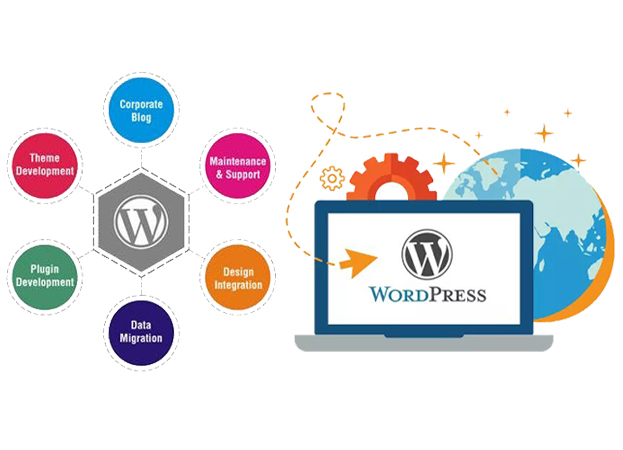
WordPress website development
Website Development

WordPress Website Development: 7 Powerful Steps to Build from Scratch Successfully

Introduction Building a website today is a lot like building a house. You wouldn’t just throw bricks together and hope for the best, right? You’d plan, design, and carefully put everything in place. That’s exactly how WordPress website development from scratch works. WordPress powers over 40% of the internet, not because it’s trendy, but because it’s flexible, beginner-friendly, and powerful enough for large-scale businesses. Whether you’re starting a personal blog, an online store, or a business website, WordPress gives you the tools to build something solid without needing to be a hardcore developer. In this guide, I’ll walk you through 11 clear, practical steps to build a WordPress website from the ground up—no fluff, no confusing jargon, just real-world guidance that actually works. Understanding WordPress Website Development from Scratch WordPress website development from scratch doesn’t mean you’re coding every line manually. Instead, it means you’re building a website intentionally—from planning and setup to design, content, and optimization—rather than relying on shortcuts or pre-built demos. What Makes WordPress the Go-To Platform? WordPress is like a Swiss Army knife for websites. It can be simple or complex, depending on what you need. The biggest reason people choose WordPress is freedom. You own your site, your content, and your data. There are thousands of themes and plugins that let you customize your website without reinventing the wheel. Another big plus is SEO. WordPress is search-engine friendly right out of the box. With the right setup, your website has a better chance of ranking on Google compared to many other platforms. WordPress.org vs WordPress.com Explained Simply This part confuses a lot of beginners, so let’s clear it up. WordPress.org is self-hosted. You download WordPress, install it on your hosting, and have full control. WordPress.com is hosted for you but comes with limitations unless you pay. If you’re serious about WordPress website development from scratch, WordPress.org is the way to go. It gives you complete control over design, plugins, monetization, and growth. Step 1: Define Your Website Purpose and Strategy Before you install WordPress or pick a theme, you need clarity. Skipping this step is like building a house without a blueprint—it might stand, but it won’t feel right or function well. Understanding Your Website Goals Ask yourself one simple question: Why does this website exist?Is it meant to sell products, generate leads, share knowledge, or build a personal brand? Your goal shapes everything: A business website focuses on conversions and trust A blog prioritizes content and readability An eCommerce store needs speed and secure payments Clear goals help you avoid unnecessary features and focus on what actually moves the needle. Identifying Your Target Audience Your website isn’t for everyone—and that’s a good thing. Knowing who you’re talking to helps you: Choose the right design tone Write content that resonates Solve real problems your audience has Think about age, profession, pain points, and what success looks like for them. When you design for a specific person, your website suddenly feels more “human.” Choosing a Unique Focus Keyword Your focus keyword is the backbone of your SEO strategy. For this guide, the keyword is WordPress website development from scratch—specific, intent-driven, and beginner-focused. A good focus keyword should: Match what people actually search for Have clear intent Be naturally usable in content This keyword will guide your page titles, headings, URLs, and meta description later on. Choose wisely—it’s like planting a flag in search engine territory. Step 2: Choose a Domain Name and Hosting This step is where your website officially gets a home on the internet. Think of your domain as your address and hosting as the land it sits on. Selecting a Short and SEO-Friendly URL A short URL is easier to remember, easier to type, and cleaner for search engines. Avoid: Hyphens overload Numbers Weird spellings Best practice?Use your brand name if possible. If not, include a keyword naturally. Keep it simple and timeless. Types of WordPress Hosting Not all hosting is created equal. Here’s a quick breakdown: Hosting Type Best For Downsides Shared Beginners Slower speeds VPS Growing sites Requires setup Managed WordPress Businesses Higher cost Cloud High traffic Technical complexity For most beginners, managed WordPress hosting is the sweet spot—it handles speed, updates, and security for you. Recommended Hosting Features Your hosting should offer: Fast loading speeds 99.9% uptime Free SSL Daily backups Responsive support Good hosting isn’t an expense—it’s an investment. A slow site can kill user experience and SEO before you even start. Step 3: Install WordPress the Right Way Once hosting is set, it’s time to install WordPress. This is where things start to feel real. One-Click Installation vs Manual Setup Most hosting providers offer a one-click WordPress install. It’s fast, simple, and beginner-friendly. Manual installation gives more control, but for most users, one-click is more than enough. No coding required. No stress. Basic WordPress Configuration After installation, don’t rush ahead. Configure the basics: Set SEO-friendly permalinks Adjust time zone and language Remove default content These small tweaks lay a solid foundation and prevent headaches later. Security Basics from Day One Change your admin username, use strong passwords, and enable SSL immediately. Security isn’t something you “add later.” It starts now. Step 4: Choose and Customize a WordPress Theme Your theme controls how your website looks and feels. It’s the first impression—and first impressions matter. Free vs Premium Themes Free themes are great for testing ideas, but premium themes offer: Better performance Regular updates Dedicated support If your website matters to your income or brand, a premium theme is worth it. Key Features of a Good Theme Look for: Mobile responsiveness Fast loading SEO optimization Clean code A bloated theme is like wearing a heavy backpack—it slows everything down. Customizing Design Without Coding WordPress makes customization easy: Use the Theme Customizer Drag-and-drop page builders Adjust colors, fonts, and layouts visually You don’t need to be a designer. Just keep it clean, readable, and user-focused. Step 5: Install Essential WordPress Plugins Plugins are like apps for your website. They

node.js
Website Development

Node.js Best Practices: 7 Tips for Scalable Applications

Introduction If you’ve ever built a Node.js application that worked perfectly on your local machine but struggled the moment real users showed up, you already understand why scalability is such a big deal. Scalability isn’t just a buzzword thrown around in tech meetings—it’s the difference between an app that grows smoothly with your users and one that collapses under pressure like a house of cards. Node.js has earned its reputation as a powerful runtime for building fast and efficient server-side applications. Companies like Netflix, Uber, and PayPal didn’t choose Node.js by accident. They chose it because it’s lightweight, event-driven, and exceptionally good at handling concurrent connections. But here’s the catch: Node.js doesn’t magically make your application scalable. Poor architectural decisions, blocking code, and weak error handling can quickly turn your shiny Node.js app into a performance nightmare. Scalability in Node.js is about designing systems that can handle increased load without sacrificing performance, stability, or user experience. It’s about thinking ahead—anticipating growth, traffic spikes, and real-world usage patterns. Whether you’re building a small API, a SaaS platform, or a real-time application, following Node.js best practices from day one can save you countless headaches later. In this guide, we’ll walk through seven practical and battle-tested Node.js best practices that help you build scalable applications. These aren’t abstract theories or academic concepts. They’re real-world tips you can apply immediately to make your Node.js projects faster, more resilient, and ready to grow. Understanding Node.js Scalability Fundamentals Before jumping into best practices, it’s important to understand what makes Node.js scalable in the first place—and where its limitations lie. Node.js operates on a single-threaded event loop, which sounds restrictive at first but is actually one of its biggest strengths when used correctly. How Node.js Handles Concurrency Unlike traditional server environments that rely on multi-threading, Node.js uses an event-driven, non-blocking I/O model. Instead of creating a new thread for every request, Node.js processes multiple requests concurrently using a single thread. Think of it like a highly efficient restaurant server who doesn’t wait at one table until the food is cooked but instead takes multiple orders and delivers them as they’re ready. This model allows Node.js to handle thousands of concurrent connections with minimal overhead. However, it also means that any blocking operation—such as heavy computation or synchronous file access—can bring everything to a grinding halt. Event Loop, Non-Blocking I/O, and Single-Threaded Nature The event loop is the heart of Node.js. It continuously checks for tasks, executes callbacks, and processes asynchronous operations. Non-blocking I/O ensures that long-running operations, like database queries or network requests, don’t freeze the entire application. But here’s the flip side: CPU-intensive tasks can block the event loop, making your app unresponsive. Understanding this trade-off is key to writing scalable Node.js applications. Common Scalability Challenges Developers Face Some of the most common issues that hurt Node.js scalability include: Blocking the event loop with synchronous code Poor project structure that becomes unmanageable as the app grows Lack of caching, leading to unnecessary database load Weak error handling that causes crashes No monitoring or performance insights Tip 1: Design a Clean and Modular Project Structure Scalability doesn’t start with servers or load balancers—it starts with your codebase. A messy, tightly coupled project structure can slow down development, introduce bugs, and make scaling a nightmare. Why Project Structure Impacts Scalability As your application grows, so does its complexity. Without a clean structure, adding new features becomes risky and time-consuming. Developers spend more time figuring out where code lives than actually writing it. A scalable Node.js application should feel like a well-organized library, not a junk drawer. Good structure improves: Code readability Team collaboration Testing and debugging Long-term maintainability Recommended Folder Structure for Node.js Apps While there’s no one-size-fits-all structure, a modular approach works best for most projects. A common and scalable structure looks like this: controllers – Handle request and response logic services – Business logic and reusable functions routes – API route definitions models – Database schemas and data models middlewares – Authentication, validation, logging utils – Helper functions and utilities This separation ensures that each part of your application has a single responsibility. Separation of Concerns and Reusability Separation of concerns is a fancy way of saying, “Don’t mix everything together.” Your controllers shouldn’t contain database queries. Your routes shouldn’t contain business logic. When each component has a clear purpose, scaling becomes much easier. Reusable modules also reduce duplication. Instead of copying and pasting logic across files, you create shared services that can be used anywhere. This not only improves performance but also reduces bugs. Real-World Example of Modular Architecture Imagine building an e-commerce application. If payment logic, product logic, and user authentication are all tangled together, adding a new payment gateway becomes a risky operation. With a modular structure, you can extend one module without breaking others. That’s scalability in action. Tip 2: Use Asynchronous Patterns and Avoid Blocking the Event Loop If there’s one rule you should tattoo on your brain when working with Node.js, it’s this: never block the event loop. Blocking code is the fastest way to kill performance and scalability. Understanding Blocking vs Non-Blocking Code Blocking code forces Node.js to wait until an operation completes before moving on. Non-blocking code, on the other hand, allows Node.js to continue processing other tasks while waiting for results. Examples of blocking operations include: Synchronous file system access Heavy CPU computations Poorly written loops Even a single blocking operation can slow down your entire application. Promises, Async/Await, and Callbacks Modern Node.js makes it easier than ever to write asynchronous code. Promises and async/await help you write clean, readable, and non-blocking logic without falling into callback hell. Using async/await properly ensures that long-running operations don’t freeze your app while still keeping your code easy to understand. Identifying and Fixing Performance Bottlenecks Sometimes blocking code sneaks in without you realizing it. Performance bottlenecks can hide in database queries, third-party libraries, or poorly optimized logic. Regular profiling helps you catch these issues early. Tools for Monitoring Event

JavaScript ES6 Features: 20 Game-Changing Updates You Must Learn
JavaScript, Website Development

JavaScript ES6 Features: 20 Game-Changing Updates You Must Learn

Hi there! Have you ever gotten a new version of your favorite game? Suddenly there are cooler characters, better graphics, and new powers that make everything more fun. JavaScript got an update like that too. It’s called ES6. Think of JavaScript as the language that makes websites do fun things—like pop-up messages, moving pictures, and interactive forms. For a long time, it worked okay, but writing it could be a bit… clunky. Then ES6 arrived. It’s like JavaScript got a super-powered upgrade. It added new, shorter, and smarter ways to write code. These new ways are called JavaScript ES6 features. Learning them is like learning the cool new shortcuts in your game. They make coding faster, easier to read, and more fun. In this guide, we’ll explore 20 of these game-changing updates. Don’t worry if you’re new—I’ll explain everything like we’re just chatting. No confusing talk, I promise! Let’s dive into these awesome JavaScript ES6 features together. Part 1: Variables & Constants – Giving Things Better Names In coding, we store information in containers called variables. ES6 gave us two new, better containers. 1. let and const (The Better Boxes) The Old Way: We only had var. It was a loose box. Things could fall out or get mixed up easily. The ES6 Way: We got let and const. let: A box you can change later. “Let the score be 10. Now let the score be 15.” const: A sealed box you can’t change. “Const is for my birthday—it’s always July 20th.” Why it’s great: It helps prevent mistakes. Use const by default, and let only when you need to change the value. javascript // Old Way var oldName = “Sam”; oldName = “Alex”; // This is allowed. // ES6 Way let changeableName = “Sam”; changeableName = “Alex”; // Allowed! const foreverName = “Sam”; // foreverName = “Alex”; // ERROR! Can’t change a constant. Part 2: Functions – Writing Less, Doing More Functions are like little machines that do a task. ES6 made building these machines much simpler. 2. Arrow Functions (=>) (The Shortcut Machine) What it is: A shorter, cleaner way to write small functions. It looks like a little arrow =>! Why it’s great: You write way less code. It’s perfect for quick tasks. javascript // Old Way – A full function function addOld(a, b) { return a + b; } // ES6 Arrow Function – So short! const addNew = (a, b) => a + b; 3. Default Parameters (The Backup Plan) What it is: Giving a function a default value, just in case. Why it’s great: If someone forgets to give your machine the right part, it has a backup ready to go. javascript // If no name is given, it will use “Guest” function sayHello(name = “Guest”) { console.log(`Hello, ${name}!`); } sayHello(“Maria”); // “Hello, Maria!” sayHello(); // “Hello, Guest!” (Uses the default!) Part 3: Working with Text & Data 4. Template Literals (Backtick Magic `) The Old Way: Combining words and variables was messy with + signs. The ES6 Way: Use backticks ` and ${} to put variables right inside your text. Why it’s great: It’s so much cleaner and easier to read! javascript let pet = “dog”; let age = 5; // Old Messy Way let oldSentence = “My ” + pet + ” is ” + age + ” years old.”; // ES6 Clean Way let newSentence = `My ${pet} is ${age} years old.`; 5. Destructuring (The Unpacking Trick) What it is: Taking a box of items and unpacking them into separate variables in one step. Why it’s great: It saves you from writing long, boring lines of code to pull data out of objects and arrays. javascript // UNPACKING AN OBJECT let person = { firstName: “Jamie”, job: “Designer” }; // Old way: // let name = person.firstName; // let job = person.job; // ES6 Destructuring – One line! let { firstName, job } = person; console.log(firstName); // “Jamie” // UNPACKING AN ARRAY let colors = [“red”, “green”, “blue”]; // Old way: // let firstColor = colors[0]; // let secondColor = colors[1]; // ES6 Destructuring let [firstColor, secondColor] = colors; console.log(firstColor); // “red” Part 4: Loops & Arrays – Supercharged Lists 6. The for…of Loop (The Simple Looper) What it is: A new, cleaner way to loop through items in an array. Why it’s great: You don’t have to mess with counter numbers (i). It just gives you each item, one by one. javascript let fruits = [“apple”, “banana”, “orange”]; // Old ‘for’ loop was more complex. // ES6 ‘for…of’ is simple: for (let fruit of fruits) { console.log(`I like ${fruit}s.`); } 7. Spread Operator (…) (The Copy & Combine Tool) What it is: Three dots … that “spread” an array or object out into its pieces. Why it’s great: It makes copying arrays, combining them, or adding items super easy. javascript let list1 = [“A”, “B”, “C”]; let list2 = [“D”, “E”]; // Copying an array let copy = […list1]; // copy is now [“A”, “B”, “C”] // Combining arrays let combined = […list1, …list2]; // [“A”, “B”, “C”, “D”, “E”] // Adding to an array let newList = [“Start”, …list1, “End”]; // [“Start”, “A”, “B”, “C”, “End”] 8. Array Methods: .map(), .filter(), .find() (The Smart Helpers) .map(): Takes a list, changes each item, and gives you a new list. “Map these raw ingredients into cooked food.” .filter(): Takes a list and gives you a new list with only items that pass a test. “Filter this box of toys to show only the red ones.” .find(): Looks through a list and gives you the first item that passes a test. javascript let numbers = [1, 2, 3, 4, 5]; // .map() – Double each number let doubled = numbers.map(num => num * 2); // [2, 4, 6, 8, 10] // .filter() – Get only even numbers let evens = numbers.filter(num => num % 2 === 0); // [2, 4] // .find() – Find the first number greater than 3 let bigNumber = numbers.find(num => num > 3); // 4 Part 5: Objects & Classes – Organized Code 9. Shorthand Property Names (The Lazy Typist’s Friend) What it is: If your variable name and the property name are the same, you only have to write it once. Why it’s great: Less typing means less chance for typos! javascript let name

Responsive Web Design Best Practices: 16 Essential Principles
Website Development

Responsive Web Design Best Practices: 16 Essential Principles

Hey there! Have you ever been on your phone, trying to look at a website, and everything is just… wrong? The words are too small. The button is tinier than a ladybug. You have to pinch and zoom just to read anything. Frustrating, right? Now, think of a website that works perfectly. On your big computer screen. On your tablet. On your little phone. Everything just fits. The pictures are the right size. The text is easy to read. You can tap buttons with your thumb. That magic is called Responsive Web Design. And it’s not really magic—it’s just good, smart planning. This guide is all about the responsive web design best practices. Think of them as simple rules, like a recipe. Follow these rules, and you can make a website that looks great for everyone, no matter what device they use. No confusing tech talk. Just clear, simple ideas. Let’s make the web a friendlier place, one screen at a time. Part 1: The Core Mindset – It Starts with Thinking Differently Before we talk about code or pictures, we need the right mindset. This is the most important of all responsive web design best practices. Principle 1: Mobile-First is Friend-First In the old days, people made websites for big computers first. Then they tried to squish them onto phones. That’s hard! The New Way: Start designing for the smallest screen first (the phone). This makes you focus on the most important stuff. What does someone really need to see or do right away? Then, as the screen gets bigger (tablet, computer), you add more. Example: Imagine a pizza shop website. On a phone, you just need the phone number, address, and a “View Menu” button. That’s it! On a big computer, you might also show a big photo of the dining room and the weekly specials on the side. Principle 2: Content is a Liquid, Not a Rock Think of your website content (words, pictures) like water. If you pour water from a cup into a bowl, it fills the new shape. Your website should do that. The Rule: Don’t force your content into a fixed, rigid box. Let it flow and rearrange to fit the space it’s given. What Happens: On a computer, your text might be in three columns. On a tablet, it becomes two columns. On a phone, all the text stacks into one, easy-to-read column. Principle 3: The User’s Thumb is Your Boss People use fingers and thumbs on phones, not a precise mouse cursor. Best Practice: Make every button and link big enough to tap easily. Leave plenty of space between clickable things so people don’t tap the wrong one. The Test: Can you tap it easily with your thumb while holding your phone? If not, make it bigger! Part 2: The Layout – Building a Flexible Foundation This is about how everything is arranged on the page. A good layout is the skeleton of your responsive site. Principle 4: Use Flexible Grids Imagine your page is divided into invisible columns. On a big screen, you might use 12 columns. A headline could take up all 12. A sidebar might take 3, and an article takes 9. On a Small Screen: Those same pieces don’t use columns anymore. They just take up 100% of the width and stack on top of each other. The sidebar moves below the article. This is a flexible grid in action.       Principle 5: Embrace Flexible Images This is a key responsive web design best practice. A giant, beautiful photo made for a computer will take forever to load on a phone and break the layout. The Simple Fix: Tell images to never be wider than their container. Use one simple line of code: max-width: 100%;. This means, “Hey image, you can be as big as the space allows, but never bigger.” It will shrink perfectly on a small screen. Principle 6: Use CSS Media Queries (Your Design’s Superpower) This is the secret sauce. A “media query” is just a little instruction you can give. It says, “If the screen is smaller than 768 pixels wide, then use this different style.” Real-World Example: “If the screen is phone-sized, hide this big background video and change the menu into a hamburger icon (the three lines).” Part 3: The Components – Making Each Piece Responsive Now, let’s look at common pieces of a website and how to make them behave. Principle 7: The Navigation Menu Must Transform A big menu with 10 items across the top will turn into a messy soup on a phone. Best Practice Solution: Use a “hamburger menu” (☰) for phones. When tapped, it slides out or drops down a neat list. This saves tons of space and is what users expect. Principle 8: Typography That Reads Easy Tiny text is the enemy of good design. What to Do: Use relative units for font size (like rem or em), not fixed pixels. This lets the text scale based on the user’s settings. Also, make sure your “line height” (space between lines of text) is generous on phones for easier reading. Principle 9: Buttons and Forms Need Room to Breathe A skinny little “Submit” button is hard to hit on a phone. The Fix: Make form fields and buttons large and block-shaped on small screens. Let them take up the full width. This gives users a big, easy target. Principle 10: Show or Hide Content Wisely Sometimes, you have extra content that’s nice on a big screen but just gets in the way on a phone. Smart Move: You can conditionally hide some elements on small screens. Maybe you hide a complex sidebar widget or a secondary promotional banner. Keep the focus on the main goal. Part 4: Performance – Fast is a Feature A responsive site that’s slow is a bad responsive site. Speed is part of the user experience. Principle 11: Optimize and Resize Your Images This is the biggest performance tip. Don’t send a 2000-pixel-wide image to a phone that only needs a 400-pixel-wide image. How to Do It: Use tools or website features that create multiple sizes of the same image. Then, let the

React vs Angular vs Vue: Comparing 8 Key Differences for Your Project
JavaScript, Website Development

React vs Angular vs Vue: Comparing 8 Key Differences for Your Project

Welcome! So you want to build a website or an app, and you’ve heard these three magic words: React, Angular, and Vue. They sound cool, but also a bit confusing, right? It’s like choosing a superpower. Which one is best for you? Don’t worry. In this article, we will walk through the “React vs Angular vs Vue” debate together. We’ll compare eight key differences in the simplest way possible. By the end, you’ll know which one feels like the right friend for your project. No complicated tech talk, I promise. Just clear, simple ideas. Let’s meet our three characters! React is like a box of super-smart Lego bricks. It’s very flexible and lets you build anything you imagine. Angular is like a giant, all-in-one toy construction kit. It has every single tool and instruction you need, all in one big box. Vue is like a friendly starter kit. It’s easy to learn and use, but can also grow into a powerful tool. Now, let’s dive into the eight big differences that will help you choose. Difference #1: Who Made Them & How Popular Are They? First, let’s see where these tools come from. It’s like knowing if your toy is from a famous toy maker or a friendly neighborhood inventor. React was created by Facebook (now Meta). Because a huge company like Facebook uses it for its own websites (like Instagram too), it is very stable and popular. Lots and lots of developers use it, so finding help or hiring someone who knows React is easy. Angular is made by Google. It is used inside Google for many projects. This means it’s also a very strong and “complete” tool. It has a large community, but it’s a bit smaller than React’s. Vue was created by one person, Evan You. He made it because he wanted something easier than React and Angular. Even though it started small, it has grown into a hugely loved tool. Its community is very friendly and growing fast. Difference #2: The Learning Curve (How Hard Are They to Learn?) The “learning curve” means how steep the hill is when you start learning. A steep hill is hard to climb. A gentle slope is easy. React has a medium learning curve. The React rules themselves are pretty simple. But to build a real project, you often need to learn extra “helper” tools. This can make the journey feel longer at the start. Angular has a steep learning curve. Remember, Angular is the big toolbox. You need to learn a lot of rules and special terms before you can even start building. It’s more complex from day one. Vue has a gentle learning curve. Vue is designed to be easy to pick up. You can start writing code almost right away. You can learn the basics in a weekend! It gets more powerful as you need it. Difference #3: The Structure: Freedom vs. Rules Imagine building with Legos. Do you want a strict instruction manual, or do you want to freestyle? React is the “Library” (Freestyle Legos). It is often called a library, not a framework. This means it mainly helps you with the building blocks (the UI). You decide how to organize your room, where to put the furniture, and what other tools to bring in. This is flexible but means you have to make more decisions. Angular is the “Full Framework” (Strict Instruction Kit). It is a full framework. It gives you rules for everything: how to structure your files, how to manage data, how to write your code. This is great for big teams who need everyone to follow the same plan. Vue is the “Progressive Framework” (Friendly Starter Guide). Vue calls itself a “progressive framework.” It starts like a simple library. You can drop it into a small project. But as your project gets bigger, you can add more official tools (like for routing) that turn it into a full framework. You grow into the rules. Difference #4: How They Talk to Your HTML (The Template) Your website is built with HTML (the structure). These tools need a way to talk to it. They use something called a “template.” React uses JSX. This is like mixing your HTML right inside your JavaScript code. It looks a bit strange at first (<div>Hello</div> inside a JavaScript file), but many developers love it because everything is in one place. jsx function Greeting() { return <h1>Hello, friend!</h1>; // This is JSX! } Angular uses HTML with Special Directives. You write normal-looking HTML files, but you add special Angular instructions inside them, like *ngFor or {{ data }}. It keeps HTML and code more separate. html <h1>Hello, {{ userName }}!</h1> Vue uses “Single File Components”. This is Vue’s superpower. You write the HTML (template), the JavaScript (logic), and the CSS (styling) all in one .vue file, but in separate sections. It feels very clean and organized. vue <template> <h1>Hello, {{ userName }}!</h1> </template> <script> export default { data() { return { userName: ‘friend’ } } } </script> <style> h1 { color: blue; } </style> Difference #5: Managing Data and State “State” is just a fancy word for the current data in your app. Like, is a button clicked? What’s the user’s name? How do these tools handle changing data? React uses a One-Way Data Flow. Data flows down from parent components to child components, like a waterfall. To send data back up, you use special “callback” functions. It’s clear but can mean writing a bit more code for complex apps. For big apps, you often need an extra tool (like Redux). Angular uses Two-Way Data Binding. This is like a magical sync. If you change data in your JavaScript, the HTML updates instantly. If the user types in the HTML, the JavaScript data updates instantly. It’s powerful but can sometimes be tricky to debug in huge applications. Vue uses a Reactive System. Vue’s system is super smart and automatic. You just declare your data, and Vue watches it for changes. When the data changes, the parts of your website that use that data update automagically. It’s simpler than Angular’s two-way binding but feels just as magical. Difference #6: Language & Tools What language do you write in, and what extra

Website Development Cost in India: Complete Breakdown of 12 Factors
Website Development

Website Development Cost in India: Complete Breakdown of 12 Factors

Thinking about getting a new website? That’s exciting! It’s like building a new shop for your business. But then, the big question pops up: “How much will it cost?” If you’ve looked online, you’ve probably seen numbers all over the place. Some say ₹10,000. Some say ₹5,00,000. It’s confusing, right? That’s because a website isn’t one price. It’s like asking, “How much does a house cost?” Well, is it a small cottage or a big apartment building? The price changes a lot based on what you want. This guide is here to clear up the confusion. We will talk about the website development cost in India by looking at the 12 main things that change the price. We’ll use very simple words and real examples. By the end, you’ll know exactly what you’re paying for and how to plan your budget. Let’s break down this price tag together, piece by piece. Why Does Website Development Cost in India Vary So Much? Imagine you’re ordering a pizza. A basic cheese pizza has one price. A pizza with extra cheese, mushrooms, olives, and a stuffed crust has a different, higher price. A giant party-size pizza for 20 people costs even more. Your website is the same. The final website development cost in India depends on your “ingredients” and the size of your “order.” Some things are simple. Some are complex. You only pay for what you need. The key is to understand what each ingredient costs. That way, you can build the perfect website for your budget. 12 Factors That Decide Your Website Development Cost in India Here are the 12 main things that add to or subtract from your final bill. 1. What Type of Website Do You Need? This is the biggest factor. It sets the base price. Simple Brochure Website (₹10,000 – ₹50,000) What it is: A small website with 5-10 pages. It tells people who you are, what you do, and how to contact you. Like a digital brochure. Example: A local dentist, a small restaurant, a freelance photographer’s portfolio. Business Website with a Blog (₹50,000 – ₹2,00,000) What it is: A bigger website for a growing business. It has all the brochure pages, plus a blog section to share news and advice. Example: A coaching institute, a real estate agent, a small fashion brand. E-commerce Website (₹1,50,000 – ₹10,00,000+) What it is: A website where people can buy things directly. It needs product pages, a shopping cart, and secure payment gates. Example: An online clothing store, a gadget shop, a specialty food store. 2. Who is Building It? (Agency vs. Freelancer) Who you hire changes the website development cost in India. Freelancer: Usually cheaper. Good for simple, standard websites. You work with one person. Web Agency: More expensive. A team of experts (designer, coder, writer) works together. Better for complex, custom websites that need many skills. 3. Custom Design vs. Ready-Made Template Template (Cheaper): A pre-designed layout. The developer changes the colors, text, and photos to fit your brand. It’s faster and costs less. Custom Design (More Expensive): A designer creates a unique look just for you from scratch. It takes more time and skill, so it costs more. 4. Number of Pages More pages = more work = higher cost. A 5-page website costs less than a 50-page website. Every page needs to be designed, written, and coded. 5. Special Features & Functionality This is where costs can really grow. Think of these as “add-ons” for your website. Simple Add-ons (Adds some cost): Contact form, photo gallery, Google Maps location. Complex Add-ons (Adds significant cost): User Login: People can create accounts. Booking System: Like for a salon or doctor’s appointment. Live Chat: A chat window to talk to customers instantly. Custom Calculators: Like a loan EMI calculator for a bank. 6. Content Creation (Words & Pictures) A beautiful website with no words or bad photos is like a beautiful, empty shop. You Provide Content: If you write all the text and take all the photos yourself, you save money. They Create Content: If you hire a copywriter to write the words and a photographer for pictures, this is a separate cost added to the website development cost in India. 7. SEO Setup (Getting Found on Google) You can build a shop on a hidden street, or on a busy main road. SEO is about getting on the main road. Basic SEO: Setting up the website correctly so Google can find it. Often included. Ongoing SEO: Actively working to rank higher on Google over time. This is a separate, monthly service. 8. Website Hosting & Domain Name This is the yearly fee to keep your website alive online. Domain Name: Your website address (www.yourbusiness.com). Costs about ₹500 – ₹1500 per year. Hosting: The “land” where your website files live. Costs about ₹3,000 – ₹15,000+ per year. Bigger, busier sites need more expensive hosting. Image Prompt: A friendly cartoon invoice with line items like “Type of Website,” “Design,” “Pages,” and “Special Features,” with plus and minus buttons next to each, showing the total changing. 9. Website Platform (The Foundation) This is the software used to build your site. The choice affects the website development cost in India. WordPress (Very Common): Flexible, powerful. Can be used for simple or complex sites. Costs vary with needs. Wix/Squarespace (Simpler): Easier to use yourself, with less customisation. Often has a lower initial build cost. Custom Coded: Built completely from scratch for unique needs. The most expensive option. 10. Mobile-Friendly Design This isn’t an extra anymore. It’s a MUST. Over 60% of web traffic is on phones. Your site MUST look good on mobile. Any good developer will include this. 11. Maintenance & Updates Websites are not “build it and forget it.” They need care. What it includes: Software updates, security checks, backups. The cost: Often a monthly or yearly fee (₹5,000 – ₹30,000+ per year), or pay-as-you-go for fixes. 12. Complexity of Your Business Needs A website for a local plumber is simpler than a website for a multi-city hospital that needs to show doctor schedules, patient portals, and medical reports. More complex business logic means a higher website development cost in India. Website Cost Comparison Table: What

Scroll to Top